
How to Read a Merchant Processing Statement: A Plain-English Guide for Wisconsin Businesses
How to Read a Merchant Processing Statement: A Plain-English Guide for Wisconsin Businesses
Your merchant processing statement arrives every month, runs four to ten pages, and uses words nobody explains. Most Wisconsin owners glance at the total, sigh, and file it. That is exactly how small fee increases go unnoticed for years. This guide walks through a merchant processing statement section by section, shows you how to find your real cost in about ten minutes, and explains which lines you can actually do something about.
You do not need to be an accountant. You need one recent statement, a calculator, and the list of terms below. If you would rather have someone do it with you, our Madison merchant services team offers a free statement review.
Key Takeaways
- Every merchant processing statement has the same three cost layers: interchange, card network fees, and the processor’s markup. Only the markup is negotiable.
- Your effective rate is total fees divided by total card sales. It is the one number you can compare month to month and provider to provider.
- The fee section, not the summary page, is where small monthly charges hide.
- If you cannot tell which pricing model you are on, that is a reason to ask questions, not a reason to give up.
What a Merchant Processing Statement Is, and Why Every One Looks Different
A merchant processing statement is the monthly record of every card payment your business accepted, every deposit sent to your bank, and every fee taken out along the way. Each processor designs its own layout, so a statement from one company can look nothing like a statement from another. The information underneath is almost always the same, though. Once you know what to look for, you can read any of them.
Some processors take fees out of each daily deposit. Others take one lump sum at the start of the next month. Neither is better, but it changes where you look. If your deposits are smaller than your sales, fees are coming out daily. If one large debit hits your bank account early in the month, that is your monthly fee bill.

The Five Sections on Almost Every Statement
Whatever the layout, look for these five parts. They may have different names, but they will be there.
- Account summary. Total card sales, refunds, chargebacks, fees and the net amount deposited for the month. Start here for the two numbers you need: total sales volume and total fees.
- Deposits or batches. One line per day or per batch, showing what you sold and what reached your bank. Use it to check that every business day was funded.
- Card type summary. Sales split by Visa, Mastercard, Discover, American Express and debit. A business with lots of rewards and business cards will pay more interchange than one with mostly debit.
- Interchange detail. On interchange-plus statements, a long list of categories with names like “CPS Retail” or “Merit III”. This is the wholesale cost set by the card-issuing banks.
- Fees and other charges. Monthly, annual and per-item fees from the processor. This is the section to read line by line.
Interchange, Network Fees and Markup: Which Lines Are Which
Every card payment carries three layers of cost. Sorting your statement into these three buckets is the whole trick.
- Interchange goes to the bank that issued your customer’s card. Visa and Mastercard publish their rate tables, and the rate depends on card type, how the card was taken (tapped, keyed or online) and your type of business. You cannot negotiate it. See Visa’s published interchange rates for an example.
- Card network fees (often called assessments or brand fees) go to Visa, Mastercard, Discover and American Express. They are small percentages plus a few per-transaction and monthly network fees. You cannot negotiate these either.
- Processor markup is everything else: the processor’s percentage, per-transaction fees, and monthly or annual account fees. This is the part that differs between providers and the only part you can negotiate.
For a deeper look at the three layers, see our plain-English guide to credit card processing fees in Wisconsin.
Worked Example: Finding the Effective Rate
Here is a made-up month for a Wisconsin cafe. The figures are round numbers chosen to show the math. They are not anyone’s real pricing.
| Line on the statement | Amount |
|---|---|
| Total card sales | $40,000 |
| Interchange (pass-through) | $780 |
| Card network fees (pass-through) | $60 |
| Processor percentage and per-transaction fees | $220 |
| Monthly fees (statement, PCI, gateway, minimum) | $60 |
| Total fees | $1,120 |
Effective rate = total fees divided by total card sales = $1,120 / $40,000 = 2.80%.
Processor’s share = ($220 + $60) / $40,000 = 0.70% of sales. The other 2.10% is interchange and network fees, which you would pay with any provider.
That second number is the one to watch. Two businesses with the same 2.80% effective rate can be paying very different markups if one takes mostly debit cards and the other takes mostly rewards cards. Our step-by-step effective rate audit shows how to track this number over several months.

Fee Names Worth Looking Up
These are the lines that most often confuse owners. Not every statement will have all of them, and some names vary between processors.
| Fee name | What it usually means | Questions to ask |
|---|---|---|
| Discount rate | The processor’s percentage on each sale | Is it on top of interchange, or does it include it? |
| Qualified, mid-qualified, non-qualified | Tiered pricing buckets | Why did these cards land in the higher tiers? |
| Authorization or transaction fee | A flat charge per card payment | Is it charged on declines and refunds too? |
| Batch fee | A charge each time the day’s sales are settled | How many batches am I paying for? |
| Statement or account fee | A flat monthly service charge | What does it cover? |
| Monthly minimum | A top-up charge if your fees fall below a set amount | What is the minimum, and do I hit it? |
| PCI fee or PCI non-compliance fee | A program fee, or a penalty if your yearly security questionnaire is missing | Is my questionnaire up to date? |
| Gateway fee | Monthly or per-transaction cost for online or virtual terminal payments | Am I still using that gateway? |
| Chargeback fee | A charge when a customer disputes a payment | How many disputes did I have? |
| Equipment lease | Monthly rental for a terminal, often on a separate contract | When does the lease end, and what have I paid in total? |
For more terms, our payment glossary covers the vocabulary in plain English.
How to Tell Which Pricing Model You Are On
Your merchant processing statement usually gives away your pricing model, even if your contract does not say it clearly.
- Interchange-plus: you see a long interchange detail section with dozens of category names, then a separate, fixed markup.
- Tiered: you see “qualified”, “mid-qualified” and “non-qualified” lines with different percentages.
- Flat rate: every card is charged the same percentage plus the same per-transaction fee, with no interchange detail.
Each model has its place. Our comparison of interchange-plus vs. flat-rate pricing explains which fits which kind of business.

When a Statement Review Is Worth It
A review makes sense if any of these are true:
- Your effective rate has gone up over the past year and your sales mix has not changed.
- You see fees you cannot explain, or fee names that appeared recently.
- You are on tiered pricing and a large share of cards falls into the non-qualified tier.
- You still pay for a terminal lease, gateway or service you no longer use.
- Nobody has looked at your account in two years or more.
If you are in Sun Prairie or the surrounding area, our guide to knowing whether you are overpaying in Sun Prairie gives local examples of what usually turns up.
Merchant Processing Statement FAQ
How often should I read my merchant processing statement?
Look at it every month for anything new, and do a full effective rate check at least every quarter. Compare the same months year to year, because seasonal sales changes can move your rate.
What is a good effective rate?
It depends on your card mix and how you take payments. Card-present businesses that take mostly debit pay less than online or keyed businesses that take lots of rewards and business cards. Compare your own rate over time and look at the processor’s share, not just the total.
Why is my effective rate higher than the rate I was quoted?
Quoted rates usually cover only one piece of the cost, such as the processor’s percentage or the qualified tier. The effective rate includes interchange, network fees, per-transaction fees and monthly fees, so it is almost always higher.
Can I get fees on my statement removed?
Processor fees such as statement, PCI program, gateway or annual fees are often negotiable. Interchange and card network fees are not. Ask your provider in writing which fees can be removed or reduced.
What do I need for a free statement review?
One to three recent monthly statements, ideally the full PDF with every page. A copy of your contract helps if you have it, but it is not required.
The Bottom Line
Reading a merchant processing statement comes down to two numbers and one section: total sales, total fees, and the list of other charges. Divide the first two to get your effective rate, sort the fees into interchange, network fees and markup, and question anything you cannot explain. Do it every few months and creeping costs will not go unnoticed.
Rather not do the math yourself? Get a free statement review from Motus Financial. Send us a recent statement and we will show you your effective rate, what share goes to your processor, and whether a change would actually save you money, or whether your current setup is already fair.






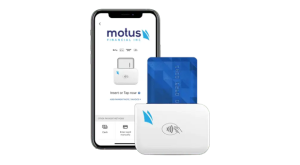
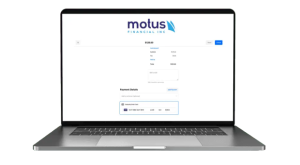
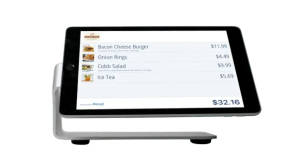 Our POS systems are designed to streamline in-store transactions. With features like inventory management, sales reporting, and customer tracking, our POS solutions help you run your business more efficiently. Our terminals are compatible with various payment methods, including chip cards, contactless payments, and mobile wallets.