PCI Compliance for Wisconsin Small Businesses: What It Is and How to Stop Paying Non-Compliance Fees
PCI Compliance for Wisconsin Small Businesses: What It Is and How to Stop Paying Non-Compliance Fees
Somewhere on your monthly statement there is probably a line that says “PCI”. It might be a small program fee, or it might be a PCI non-compliance fee that has been charged every month for years because a yearly questionnaire was never filled in. Either way, most Wisconsin owners have never had it explained. This guide covers what PCI compliance means for a small business, the difference between the two kinds of PCI compliance fee, and the steps to stop paying a non-compliance fee.
It is general guidance, not legal or security advice. Your processor and the questionnaire it assigns you have the final say on what applies to your business.
Key Takeaways
- PCI DSS is the security standard for any business that accepts payment cards. It is set by the PCI Security Standards Council, which was founded by the major card brands.
- Most small businesses prove compliance once a year with a Self-Assessment Questionnaire (SAQ), often completed in their processor’s online portal.
- A PCI program fee and a PCI non-compliance fee are different charges. Both are set by your processor, not by the Council.
- A non-compliance fee usually stops once your questionnaire, and any required network scan, is submitted and accepted.
What PCI Compliance Means for a Small Business
The Payment Card Industry Data Security Standard, or PCI DSS, is a set of security requirements for every business that stores, processes or transmits card data. The current version is PCI DSS v4.0.1. The PCI Security Standards Council writes the standard and the questionnaires. The card brands and your acquiring bank decide how you must prove that you follow it.
For most small merchants, proving compliance is not an audit. It is a yearly questionnaire about how you take cards, plus a few basic practices such as using secure, up-to-date terminals, not writing card numbers down, and limiting who can access payment systems.
PCI Fee vs. PCI Compliance Fee vs. Non-Compliance Fee
Statements use different names, but there are usually two separate charges.
| Charge | What it is | Can it be removed? |
|---|---|---|
| PCI program fee (sometimes called a PCI compliance fee) | A monthly or annual charge from the processor for its compliance portal, questionnaire tools or scanning service | Sometimes. It is part of the processor’s pricing, so it can be negotiated. |
| PCI non-compliance fee | An extra monthly charge added when the processor has no current, accepted questionnaire for your account | Yes, usually by completing and submitting your questionnaire |
Neither fee is a government charge, and the PCI Security Standards Council does not bill merchants for either one. They are part of your processor’s pricing. That is why the amounts, names and rules differ from one provider to the next. Our guide to credit card processing fees in Wisconsin explains how these sit alongside your other fees.
Which Self-Assessment Questionnaire Applies to You
There are several versions of the SAQ. The one you complete depends on how your business accepts cards. Your processor should tell you which one applies. In broad terms:
- SAQ A: online sales where card entry is fully handled by a third-party payment page, and you never touch card data.
- SAQ A-EP: online sales where your website controls part of the payment page.
- SAQ B: standalone terminals connected by phone line, with no electronic card storage.
- SAQ B-IP: standalone, approved terminals connected over the internet.
- SAQ C-VT: card payments keyed into a web-based virtual terminal on one computer.
- SAQ P2PE: only validated point-to-point encrypted terminals. Usually the shortest questionnaire.
- SAQ C and SAQ D: payment systems connected to other systems or the internet, or businesses that store card data. These are longer.
If you take cards several ways, for example a countertop terminal plus a virtual terminal or payment gateway, the questionnaire must cover all of them. All versions are in the Council’s document library.

How to Get Compliant, Step by Step
- Find your PCI portal. Your processor’s welcome letter, statement or support team will give you the link and login. If nobody has ever mentioned one, ask.
- List every way you take cards. Terminals, POS, online store, invoices, virtual terminal, phone orders. Include anything a staff member uses.
- Answer the questionnaire honestly. Most portals ask simple questions first, then pick the right SAQ for you.
- Run a network scan if required. Some questionnaires require a quarterly external scan by an Approved Scanning Vendor. The portal will say if yours does.
- Submit and save the confirmation. Keep a copy of the completed SAQ and the date it was accepted.
- Set a reminder for next year. Compliance lasts twelve months. Many non-compliance fees come back simply because the renewal date passed.
How to Get a Non-Compliance Fee Removed
Once your questionnaire is accepted, check the next statement. If the non-compliance fee is still there:
- Call or email your processor with the date your SAQ was submitted and ask them to remove the fee going forward.
- Ask whether they will credit fees charged after you submitted. Some will, some will not, but it costs nothing to ask.
- Ask what the PCI program fee covers, and whether it can be lowered or waived.
If your processor will not help or cannot explain the charges, that is a fair reason to compare providers. Our guide on how to switch credit card processors shows how to do it without disrupting your business.
Simple Ways to Reduce Your PCI Workload
- Use current, encrypted terminals. Validated point-to-point encryption can shrink your questionnaire a lot.
- Use hosted payment pages for online sales, so card numbers never pass through your own website.
- Never write card numbers on paper or store them in spreadsheets or email.
- Give each staff member their own login for payment systems, and remove access when people leave.
- Keep terminal and POS software updated.

PCI Compliance Fee FAQ
Is PCI compliance required for a small business?
Yes. Any business that accepts payment cards is expected to follow PCI DSS. For most small businesses, that means following basic security practices and completing a yearly Self-Assessment Questionnaire through the processor.
Who charges the PCI compliance fee?
Your payment processor. The PCI Security Standards Council publishes the standard but does not bill merchants. PCI program and non-compliance fees are part of your processor’s pricing.
How do I stop paying a PCI non-compliance fee?
Complete the Self-Assessment Questionnaire in your processor’s PCI portal, run a network scan if your questionnaire requires one, and submit it. Then ask your processor to remove the fee from your next statement.
How long does the questionnaire take?
For a business with a standalone terminal or a hosted online checkout, often less than an hour. Businesses with more complex setups can take longer, especially if a network scan is needed.
Do I need to do this every year?
Yes. A completed questionnaire is generally valid for twelve months. Set a calendar reminder, because the non-compliance fee often returns when the date passes.
Does using Square or another all-in-one provider change this?
Some all-in-one providers handle much of the compliance work as part of their service and do not charge separate PCI fees. Check your provider’s terms to see what is covered and whether anything is left for you to do.
The Bottom Line
A PCI non-compliance fee is one of the easiest fees to get rid of. Find your processor’s portal, complete the questionnaire that matches how you take cards, run a scan if one is required, and set a reminder to renew every year. Then ask your processor to remove the fee and explain any PCI program fee that remains.
Not sure what the PCI lines on your statement mean? Get a free statement review from Motus Financial. We will point out every PCI charge, tell you which ones can go, and help you find the right questionnaire. To see what else to look for on your statement, read how to read a merchant processing statement, or see our Wisconsin merchant services.




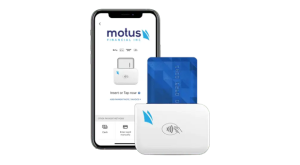
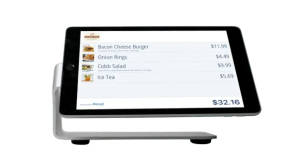 Our POS systems are designed to streamline in-store transactions. With features like inventory management, sales reporting, and customer tracking, our POS solutions help you run your business more efficiently. Our terminals are compatible with various payment methods, including chip cards, contactless payments, and mobile wallets.