

How to Switch Credit Card Processors Without Disrupting Your Business
How to Switch Credit Card Processors Without Disrupting Your Business
A lot of business owners stay with a payment processor they’re unhappy with for one reason: switching sounds like a hassle. They picture days of downtime, a tangle of cancellation fees, and a register that won’t work during the lunch rush. So they keep paying a rate that creeps up every quarter because the alternative feels worse.
Most of that fear is outdated. Here’s what switching actually involves, and what to watch for so it goes smoothly.
Signs it’s time to look
You don’t need a dramatic reason. The common ones:
- Your effective rate has quietly climbed since you signed (it almost always does)
- New fees keep appearing — “PCI non-compliance,” “regulatory,” “batch” charges you can’t explain
- Support is a phone tree that routes you overseas when a terminal goes down mid-shift
- You’re locked into leased equipment you’ve already paid for several times over
If two or more of those sound familiar, a comparison is worth your time even if you don’t switch.
What people are afraid of — and the reality
“I’ll have downtime.” In practice, a new account is set up before you cut over. You keep running on the old setup until the new one’s ready, then switch — usually with no gap. A good provider plans the cutover around your slow period, not your rush.
“Cancellation fees will eat the savings.” Sometimes there’s an early termination fee, sometimes there isn’t — it depends on your current contract. The key is to find out the exact number before you switch, not after. Often the monthly savings clear it within a few months.
“I’ll have to relearn everything.” If you like your current POS, you can usually keep it and just change who processes the payments behind it. The screens your staff use don’t necessarily change at all.
How the switch actually works
- Get your real number first. Work out your current effective rate from a recent statement — our effective rate audit walkthrough shows how. This is your baseline.
- Read your current contract for the term end date, any early termination fee, and whether your equipment is owned or leased.
- Set up the new account while the old one keeps running.
- Schedule the cutover for a quiet window and confirm your equipment or POS is configured before you flip.
- Cancel the old account in writing once the new one is confirmed working — never before.
The fine print to check
- Leased equipment: lease contracts are separate from your processing contract and can be the stubbornest part. Know what you’re tied to.
- PCI fees: make sure the new provider’s PCI compliance support is included, not another monthly add-on.
- Funding timing: confirm when deposits land so cash flow doesn’t hiccup during the switch.
How long it really takes
For most small businesses, the active work is a few days, and the disruptive part — the actual cutover — is usually under an hour, scheduled when you choose. The longest part is just deciding to start.
If you want to know what you’d actually save before committing to anything, send us a recent statement and we’ll show you your real rate and what switching would look like — no obligation.






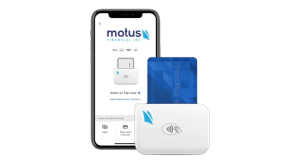
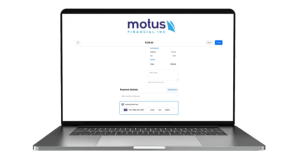
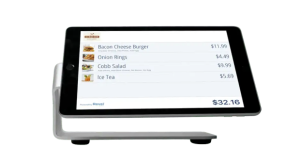 Our POS systems are designed to streamline in-store transactions. With features like inventory management, sales reporting, and customer tracking, our POS solutions help you run your business more efficiently. Our terminals are compatible with various payment methods, including chip cards, contactless payments, and mobile wallets.