

Switching to Square or KORONA POS: A Wisconsin Business Owner’s Migration Checklist
Switching to Square or KORONA POS: A Wisconsin Business Owner’s Migration Checklist
Deciding to switch point of sale platforms is the easy part. Actually moving a business from one system to another without disrupting a busy week is where most of the real work happens. Here is a practical checklist for switching to Square or KORONA POS: what the switch actually involves, and where local setup support makes the difference between a smooth cutover and a rough one.
Key Takeaways
- Exporting existing inventory or menu data cleanly is one of the most commonly underestimated steps in a POS migration.
- Hardware compatibility should be confirmed before assuming any existing equipment will carry over to a new platform.
- Staff retraining needs real time built into the transition plan, not an assumption that a new system is “intuitive enough” to skip training.
- Timing the cutover for a business’s slowest period, not its busiest, avoids compounding a learning curve with a rush.
- Working with a local setup partner handles most of the technical migration work that a business would otherwise have to figure out alone through a self service signup.
Step 1: Export and Clean Up Existing Data
Before touching new hardware, get a clean export of current inventory, menu items, or product catalog from the existing system. This is also the right moment to clean up data rather than transfer it as is: remove discontinued items, fix inconsistent naming, and correct pricing errors that may have accumulated in the old system. Moving messy data into a new platform just recreates the same problems in a new place.
Step 2: Confirm Hardware Compatibility
Do not assume existing card readers, receipt printers, or barcode scanners will work with a new platform. Square and KORONA POS each have their own compatible hardware ecosystems, and while some general purpose hardware (certain receipt printers or barcode scanners) may carry over, card readers and terminals typically need to match the new platform specifically. Confirm compatibility for every piece of existing hardware before assuming it carries forward, to avoid an unexpected hardware bill discovered mid-transition.
Step 3: Set Up and Test Before Going Live
Configure the new system fully, including inventory or menu data, tax settings, tip handling, and any integrations (accounting software, online ordering, loyalty programs) before the go live date. Run test transactions, including edge cases like split checks, refunds, and discounts, to catch configuration issues while the business is not depending on the system yet. Finding a configuration problem during testing costs nothing. Finding the same problem mid-shift on launch day costs real money and staff frustration.
Step 4: Train Staff With Real Time, Not a Quick Overview

Even an intuitive system requires real training time for staff who are used to a different interface. Build in dedicated training sessions before go live, not just a five minute walkthrough on launch morning. For a restaurant or retailer with multiple shifts, this may mean training different staff groups separately to make sure everyone gets hands on practice before the system goes live for real transactions.
Step 5: Choose the Right Cutover Timing

Switch during the business’s slowest period, not its busiest. A restaurant might choose a slow Tuesday afternoon rather than a Friday dinner rush. A seasonal retailer might avoid switching during its peak season entirely, choosing an off season month instead. The goal is giving staff room to work through the inevitable early hiccups without also managing a rush at the same time.
Step 6: Keep the Old System Accessible for a Transition Period
Do not immediately cancel or disable the old system the moment the new one goes live. Keeping read only access to historical sales and inventory data for a transition period (often thirty to sixty days) makes it much easier to handle a customer question about a past transaction or reconcile a discrepancy discovered after the switch, without needing emergency access to a system that has already been shut down.
What a Local Setup Partner Actually Handles
A business switching platforms on its own has to research all of this, make every decision alone, and troubleshoot problems without a dedicated point of contact. Working with a local channel partner means the data export and cleanup, hardware selection and compatibility checks, system configuration and testing, and staff training can be planned and executed by someone who has done this migration before, with a real person to call if something goes wrong during or after the cutover.
Related reading: how to switch credit card processors, Square vs. KORONA POS, Square POS for Wisconsin restaurants and KORONA POS for Wisconsin retailers.
Switching to Square or KORONA POS: FAQ
How long does a typical POS migration take from start to finish?
This varies by business size and inventory complexity, but a straightforward single location business often takes one to two weeks from data export to a fully tested go live. A multi location or high SKU count retailer should plan for longer.
Will we lose our sales history when switching POS systems?
Historical sales data generally does not transfer directly into a new platform’s active reporting, but it can typically be exported and archived from the old system for reference, which is why keeping read only access to the old system for a transition period matters.
Can we switch POS systems without closing the business, even for a day?
Yes, with proper planning most businesses can switch without closing. The key is timing the cutover for a slow period and having the new system fully tested before it goes live, so the transition happens without an operational gap.
What is the biggest mistake businesses make when switching POS platforms?
Underestimating the data cleanup and staff training time, and assuming a “simple” new system means no real setup or training is needed. Both steps take real time even with an intuitive platform.
Do we need to inform our payment processor before switching POS systems?
This depends on whether the new POS platform uses the same payment processing relationship or a new one. Confirm with whoever is handling the migration whether existing merchant account arrangements carry over or need to be reestablished.
Is it worth switching POS platforms if our current system mostly works fine?
That depends on what “mostly works” is actually costing in inventory errors, checkout speed, or missing features relevant to the business’s current size. A system that fit a business three years ago may not fit its current inventory complexity or transaction volume today.





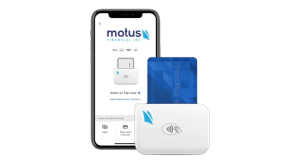
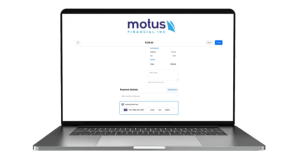
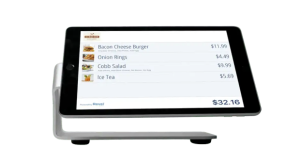 Our POS systems are designed to streamline in-store transactions. With features like inventory management, sales reporting, and customer tracking, our POS solutions help you run your business more efficiently. Our terminals are compatible with various payment methods, including chip cards, contactless payments, and mobile wallets.