
POS Systems in Madison, WI: Restaurant vs Retail Checklist (What to Ask in a Demo)
POS Systems in Madison, WI: Restaurant vs Retail Checklist (What to Ask in a Demo)
A POS system is either (A) the beating heart of your daily operations or (B) the thing that makes your staff stare into the middle distance during the lunch rush. There is no third option.
For the Motus service page that matches this topic directly, see: POS systems in Madison
Quick answer: pick a POS based on workflow, not hype. If it does not match how you take orders, manage inventory, handle tips or returns, and close out the day, it will annoy you forever.
If you are already past the “framework” stage and want a head to head restaurant platform comparison, the January post is the right next click:
Restaurant POS systems in Madison (TouchBistro vs Lavu vs ShopKeep)
Restaurant POS vs retail POS in Wisconsin: what’s truly different
Restaurant POS needs
- modifiers and special requests
- table management and coursing
- split checks and tips
- comps and void controls
- kitchen printer or KDS support
- speed when you are slammed
Retail POS needs
- barcode scanning and variants (size, color)
- returns and exchanges with receipt history
- inventory counts and reorder support
- clean discounts and promos
- multi channel inventory if you also sell online
The demo questions that separate “shiny” from “actually useful”
Bring these to every POS demo. If they can’t show it live, it doesn’t exist.
Workflow
- “Show me an order from start to finish using my top five items.”
- “How many taps does it take to ring up the most common transaction?”
- “How do modifiers work, and can we set defaults?”
Reliability
- “What happens if the internet goes down?”
- “Can I run offline and how does it reconcile?”
Costs
- “What is monthly software cost, hardware cost, and add ons?”
- “Do you charge per terminal, per user, or per location?”
- “What add ons do most businesses end up needing?”
Reporting and closeout
- “Show me end of day closeout and deposit reporting.”
- “Can I export what my bookkeeper needs without pain?”
Support
- “What are support hours?”
- “Who answers when something breaks during peak hours?”
Quick comparison table
Feature | Restaurant priority | Retail priority
Modifiers | High | Medium
Inventory | Medium | High
Table management | High | Low
Barcode scanning | Low | High
Tips and splits | High | Medium
Returns and exchanges | Low | High
Online ordering | High | Medium
Where payments and POS should work together
A POS is not just software. It touches checkout flow, deposits, and reporting. When POS and payment processing don’t play nice, reconciliation becomes a weekly argument with your own numbers.
For Motus options that pair POS with processing, start here:
Common mistakes Madison businesses make
- buying a POS because it is popular, not because it matches their workflow
- underestimating add ons (online ordering, loyalty, inventory, extra terminals)
- ignoring payout and reconciliation until tax time
- signing equipment leases without doing the math
FAQs
What POS system is best for a small restaurant?
The best restaurant POS is the one that handles modifiers, tips, split checks, and speed without making staff fight the screen. Start by mapping your order flow, then choose a platform that matches it.
Do I need a restaurant specific POS?
If you do table service, heavy modifiers, or tipping, a restaurant focused POS usually saves time and reduces mistakes.
How much does a POS system cost in Madison, WI?
It depends on terminals, features, add ons, and support. Always ask for a full monthly total, not just “software starting at.”
Next step
If you want help narrowing POS options based on your exact workflow, start here: Contact Motus Financial





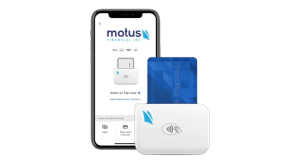
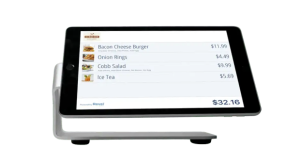 Our POS systems are designed to streamline in-store transactions. With features like inventory management, sales reporting, and customer tracking, our POS solutions help you run your business more efficiently. Our terminals are compatible with various payment methods, including chip cards, contactless payments, and mobile wallets.