
Payment Gateways and Virtual Terminals for Wisconsin Businesses: Get Paid Online Without the Tech Drama
Payment Gateways and Virtual Terminals for Wisconsin Businesses: Get Paid Online Without the Tech Drama
Key takeaways
- A payment gateway connects your website or invoicing system to payment processing so customers can pay online.
- A virtual terminal lets you key in payments securely without building a full ecommerce checkout.
- The best setup is usually the simplest one that matches how customers already buy from you.
Online payments are supposed to be easy. Someone clicks a button, money appears, everyone goes back to living their lives.
In reality, a lot of small businesses end up with a payment situation that works until it does not. Then checkout fails, invoices go unpaid, or you get stuck reconciling systems that all swear they are correct.
Quick answer: if you need customers to pay online, you need a gateway. If you need to take payments by phone, email, or invoice approval, you probably need a virtual terminal too.
For Motus options that power online payments, start here: Online payments
What a payment gateway actually does
A payment gateway is the connector between your website or platform and your payment processor. It is the piece that makes online payments possible.
It can power online checkout on a website, payment links inside invoices, recurring billing for memberships and service plans, integrations with scheduling and booking tools, and any situation where the customer is not physically in front of you handing over a card.
If you sell online and need platform level support, this page is helpful context: Ecommerce solutions
What a virtual terminal is and when you need one
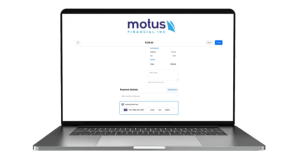
A virtual terminal is a secure web page where you type in payment details and run a transaction. It is browser based, not a physical device.
It is commonly used for phone payments, deposits for service businesses, invoices where the customer gives card details directly, and as a backup when another system goes down.
For the Motus service page that defines virtual terminals and where they fit, see: Virtual terminals
Ecommerce or payment links: Know the difference before you build
This is the decision many businesses get wrong. They assume they need ecommerce when they do not.
If you sell physical products and customers shop a cart, you need ecommerce. But if you sell services, take deposits, schedule appointments, or do business to business work, you might just need invoicing and payment links.
The best way to figure this out is to list your most common payment scenarios. Do customers usually pay after an appointment, after a job is completed, up front as a deposit, on a subscription schedule, through an invoice approval process, or by phone because they do not want to deal with logins? Build around the scenario that shows up most often.
What to look for in a gateway
Not every gateway fits every business. The best one is the one that matches your platform and risk profile, not the one with the most features in a demo.
- Integrations with your website or ecommerce tool
- Invoices and payment links, if that is how you get paid
- Recurring billing, if you offer plans or memberships
- Fraud tools that match your transaction type
- Clear reporting and exports for bookkeeping
- The real fees, including monthly tool costs
Fraud and chargebacks: The reality of card not present payments
Online payments carry higher risk than chip and tap transactions in person. That is not a reason to avoid them, it is a reason to take simple precautions.
Use secure hosted payment pages instead of storing card data yourself. Require billing address information when it makes sense. Use fraud filters that match your business type. Have a clear refund and cancellation policy.
Pay attention to how your business name shows up on a customer’s statement. Confusing descriptors cause chargebacks more often than people think.
Invoicing: The quiet win most businesses miss
If you do not sell products online, invoicing is often where the biggest improvement in cash flow is hiding.
A clean invoice with a pay now button removes friction between the customer deciding to pay and actually paying. Many businesses feel the difference fast, because the path from invoice sent to money received gets shorter.
Recurring billing: Simple when it is done right
If you offer monthly plans, memberships, maintenance agreements, or retainers, recurring billing can be the easiest way to handle them, as long as the setup is clean.
What matters most is how billing failures are handled when a card declines, how customers update payment methods without calling you, how upcoming charges are communicated, and how pausing or canceling works. A messy setup turns into churn. A clean one is a quiet engine you barely have to think about.
Integrations: Where setups get clean or chaotic
Integrations are where online payment setups either save time or multiply workload.
Helpful integrations look like booking tools that collect deposits automatically, website forms that create invoices and payment links, and accounting exports that simplify reconciliation.
The test is simple: does this reduce manual work and reduce mistakes? If yes, it is worth it.
What it should cost and how to avoid surprises
Online payment setups typically include per transaction fees and sometimes monthly fees for gateways or add ons.
Before you commit, ask what monthly gateway or platform fees exist, what per transaction fees look like, whether there are PCI related fees, what happens if you need recurring billing later, and what support is included.
The setup that works for most businesses
If your business is not a full ecommerce store, a simple setup covers a surprising amount of ground.
Payment links for invoices and deposits. A virtual terminal for phone payments and exceptions. Clear reporting that matches what your bookkeeper needs. And a gateway that connects to your website.
FAQs
What is the difference between a payment gateway and a virtual terminal?
A gateway powers online checkout and integrations. A virtual terminal is a secure way to key in payments manually through a browser.
Do I need a full ecommerce site to take payments online?
No. Many businesses do well with invoices and payment links. A store is only necessary if customers are shopping a cart.
Are online payments safe for small businesses?
They can be, when you use compliant tools, avoid storing card details yourself, and follow basic security practices.
Can I take recurring payments for memberships or monthly services?
Yes. Most gateways support recurring billing. Clean setup matters.
What is the fastest way to start accepting online payments?
For many businesses, it is a virtual terminal plus invoicing or payment links.





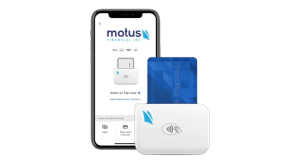
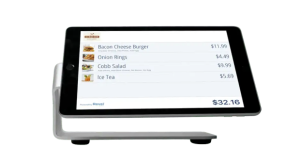 Our POS systems are designed to streamline in-store transactions. With features like inventory management, sales reporting, and customer tracking, our POS solutions help you run your business more efficiently. Our terminals are compatible with various payment methods, including chip cards, contactless payments, and mobile wallets.