

How to Accept Online Payments in Wisconsin: A Simple Setup Guide That Won’t Wreck Your Week
How to Accept Online Payments in Wisconsin: A Simple Setup Guide That Won’t Wreck Your Week
Online payments should feel boring. In the best way. Click, pay, done.
For Motus options that power online payments, start here:
Online payment processing
Quick answer: choose one primary way customers pay (invoice link, online checkout, phone payment, mobile), set up the minimum tools to support it, then test deposits and reporting before you launch.
If you need the clean definitions of gateways and virtual terminals (and when each matters), the January post covers it perfectly. Read that first, then come back here for the setup plan:
Key takeaways
- Start with your payment flow, not a tool. The simplest setup that matches how customers pay wins.
- Most service businesses do best with invoices and payment links, plus a virtual terminal for exceptions.
- Test and reconcile before you go live so deposits and reporting match reality.
Step 1: Identify your real payment flow
Pick the most common scenario:
- “Customer pays after service” (service businesses)
- “Customer pays a deposit up front” (appointments, contractors, rentals)
- “Customer shops a cart” (ecommerce)
- “Customer pays by phone or email approval” (B2B, special orders)
- “Customer pays on site with you” (mobile)
Write down the top three scenarios. Your setup should support those first.
Step 2: Choose the right tool for the job
Option A: Invoices and payment links (best for most service businesses)
Use this when you want to send a bill with a pay now button and get paid faster.
Best for: contractors, clinics, consultants, home services, professional services.
Option B: Virtual terminal (best for phone payments and exceptions)
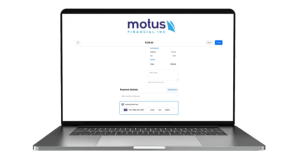
A virtual terminal is the backup plan and the “customer wants to pay by phone” plan.
For the Motus service page that matches this directly, see:
Option C: Online checkout (best for ecommerce)
Use this when customers are shopping a cart and paying without talking to anyone.
Option D: Mobile card processing (best for getting paid on site)
If you do work at the customer’s location, at events, or on the go, mobile payments keep cash flow moving.
Use cases:
- contractors collecting final payment at the end of a job
- vendors at events
- service teams taking payment on site
Step 3: Set up the “minimum viable” payment system
This is the setup that works for most Wisconsin small businesses that are not full ecommerce stores:
- invoices and payment links for most payments
- virtual terminal for phone payments and edge cases
- basic fraud controls turned on
- reporting exports that match bookkeeping needs
If you are ecommerce, add:
- hosted checkout and a gateway integration
- clear shipping and refund policy
- customer confirmation emails that actually arrive
Step 4: Turn on the security basics that prevent dumb problems
No fear mongering. Just strong defaults:
- do not store card numbers yourself
- use tokenization for repeat billing
- require AVS and CVV where appropriate
- use fraud filters that match your transaction type
- make your refund and cancellation policy easy to find
- make your business name recognizable on statements (confusion drives chargebacks)
Step 5: Test before you publish the link everywhere
Run a real test:
- send an invoice to yourself
- pay it
- confirm the receipt and confirmation email
- confirm deposit timing
- confirm reporting matches the sale
- confirm refund works cleanly
This is the difference between “we launched online payments” and “we launched a small financial mystery.”
Go live checklist (copy this into your SOP)
- payment flow defined (top 3 scenarios)
- invoice and payment link template created
- virtual terminal access locked to the right users
- fraud controls enabled
- confirmation email tested
- deposit schedule verified
- reporting export verified
- refund process tested
- policy page live (refund and cancellation)
FAQs
Do online payments cost more than in person payments?
Yes, in most cases. Card not present transactions typically carry higher interchange than chip or tap transactions. The gap varies by card type and pricing model, but online and keyed payments are usually more expensive than card present.
Do I need a full ecommerce site to take payments online?
No. Many businesses do better with invoices and payment links. Ecommerce checkout is only necessary when customers shop a cart.
What is the simplest way to start accepting online payments fast?
For many businesses, it is invoices and payment links plus a virtual terminal for phone payments and edge cases.
Next step
If you want the simplest setup for your exact payment flow, start here:





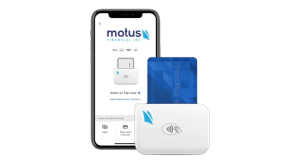
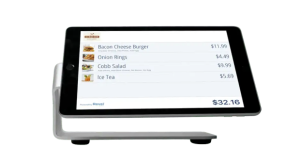 Our POS systems are designed to streamline in-store transactions. With features like inventory management, sales reporting, and customer tracking, our POS solutions help you run your business more efficiently. Our terminals are compatible with various payment methods, including chip cards, contactless payments, and mobile wallets.