

Credit Card Processing in Sun Prairie, WI: How to Audit Your Effective Rate (Without Becoming a Spreadsheet Person)
Credit Card Processing in Sun Prairie, WI: How to Audit Your Effective Rate (Without Becoming a Spreadsheet Person)
Most businesses don’t lose money because their processing rate is “bad.” They lose money because they never get a straight answer about what they are actually paying.
So let’s do the thing almost nobody does: a simple effective rate audit.
For the Motus service page that matches this topic directly, see:
Credit card processing and POS services
Quick answer: calculate your effective rate, then scan for recurring monthly fees, equipment leases, and transactions that are being priced like higher risk when they shouldn’t be.
If you want the deeper background on interchange, markup, and funding times, the January Madison post is the clean “why this works” companion:
Key takeaways
- Your effective rate is the truth. It is total fees divided by total volume.
- Most overpayment comes from fee stack and setup mismatch, not the base pricing.
- You can spot problems in 10 minutes by auditing the right lines on your statement.
Step 1: Calculate your effective rate (the only number that matters first)
Pick one month.
- total volume processed (example: $30,000)
- total fees charged (example: $900)
- effective rate = $900 ÷ $30,000 = 0.03 = 3.0%
Do this for three months.
If your effective rate is stable, great. If it swings, you have something to investigate.
Step 2: Circle the fee stack (this is where leaks hide)
On your statement, look for monthly or recurring fees such as:
- statement fees
- PCI program or compliance fees
- gateway or reporting fees
- batch fees
- monthly minimums
- “non qualified” downgrades
- chargeback or retrieval fees
- regulatory or network fees (some are normal, some are inflated)
One or two fees may be fine. A pile of them is usually the sign of a pricing model that was never built for transparency.
Step 3: Check how you are running transactions (setup mismatch costs money)
This is the Sun Prairie reality for a lot of businesses: you are bouncing between in person, phone, invoices, and on the go.
Mismatch looks like:
- too many keyed transactions when you could run chip or tap
- taking deposits by phone with no verification tools turned on
- using the wrong terminal type for how customers pay
- running ecommerce style tools when you only needed payment links
If your business is mostly “take payment at the end of the job” (contractors, home services), mobile and invoicing tools matter. If you are retail or restaurant, speed and chip tap flow matters more.
Step 4: Find equipment leases and long term hardware traps
If you see language like “lease,” “non cancellable,” or a separate equipment finance company, that is worth a hard pause.
A cheap monthly lease can quietly become the most expensive part of processing.
Step 5: Spot red flags that suggest you should re quote
- effective rate climbs month over month with no business change
- you cannot explain more than three recurring fees
- you are paying for tools you do not use
- deposits do not reconcile cleanly with sales
- support is slow when you need it most
A simple “what to do next” plan
If your audit shows problems, your next move is not “switch immediately.” Your next move is “compare correctly.”
Do this:
- gather the last three months of statements
- list your payment scenarios (in person, phone, invoice, online, mobile)
- get a quote that matches those scenarios
- compare total monthly cost and support terms, not just a rate
FAQs
What is a good effective rate for credit card processing?
There is no single good number. It depends on card mix, transaction type, and business model. What matters first is whether your effective rate is stable, explainable, and competitive for your category.
Why is my effective rate higher than the rate I was quoted?
Because quoted rates often ignore fee stack, add ons, and downgrades. Effective rate includes everything you actually paid.
Does tap to pay change fees?
Yes, in most cases. Tap and chip are generally priced better than keyed transactions because they reduce fraud risk. The size of the gap depends on card type and your pricing model, but card present methods usually cost less.
Next step
If you want someone to sanity check your statement audit and show you the cleanest path to lower total cost, start here:






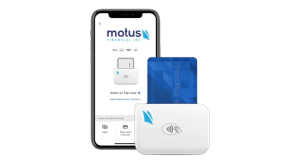
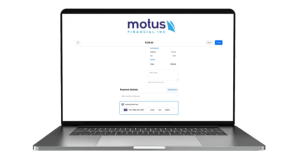
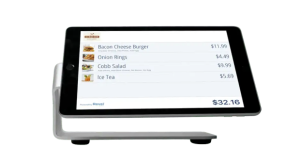 Our POS systems are designed to streamline in-store transactions. With features like inventory management, sales reporting, and customer tracking, our POS solutions help you run your business more efficiently. Our terminals are compatible with various payment methods, including chip cards, contactless payments, and mobile wallets.