
Credit Card Processing for Healthcare
HEALTHCARE
A Healthcare Payment Solution for Wisconsin Practices
Motus Financial helps Wisconsin practices set up healthcare payment processing that fits the way patients actually pay. We work with dental offices, chiropractic and acupuncture practices, clinics, therapy providers, medical offices, and veterinary clinics, from a single provider office to a group with several locations.
Patients pay in more ways than they used to. One pays a copay at the front desk, another calls in weeks later about a statement, a third wants a link to pay from home, and a fourth hands over an HSA or FSA card. The right healthcare payment solution handles all of them without extra steps for your staff, and gives you reports that match your practice records.
- Accept payments at the front desk, over the phone, and online
- Collect patient balances after insurance with a virtual terminal or a hosted payment page
- Store cards for balances and payment plans, with the patient’s permission
- Use reporting that helps you match card payments to patient accounts and bank deposits
We are a locally owned merchant services company based in Sun Prairie, and our consultants help you choose the right setup and support it after it is running. If you are still comparing options, our article on how to choose a healthcare payment solution lists what to look for. Veterinary teams can also read our guide to payment processing for Wisconsin veterinary clinics.
Payment Solutions for Healthcare Practices
Virtual Terminal
Standard or Wireless Terminal
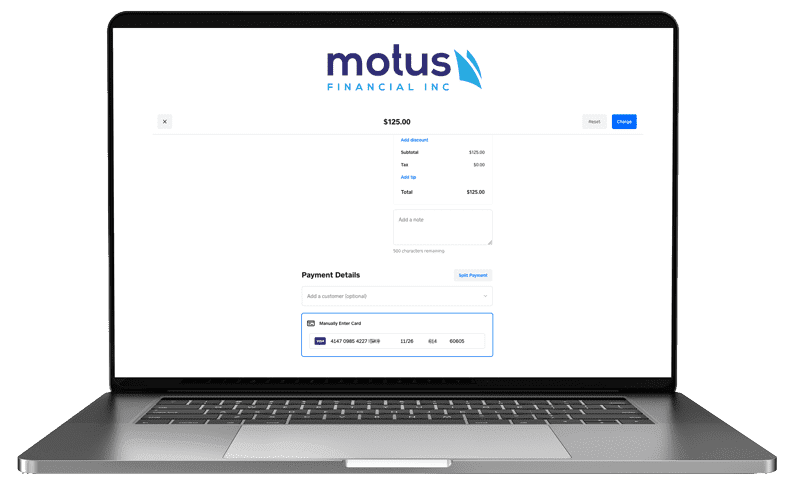
A virtual terminal lets your office take credit card and ACH payments from a computer with an internet connection. It is a practical fit for patients who call in to pay a balance. Staff can email or print receipts, issue refunds, store payment details securely for future billing with the patient’s permission, set up recurring charges for payment plans, and run reports.
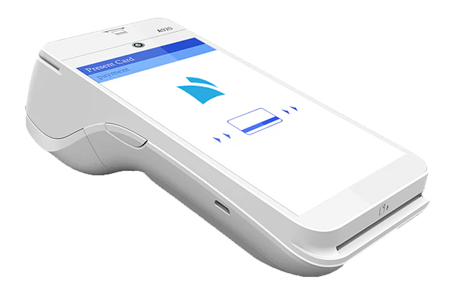
For patients paying in person, a countertop terminal at the front desk or a wireless terminal that can move to a checkout window or treatment area takes chip, tap, and swipe payments. Choosing the right credit card machine can help you control processing costs, and Motus Financial will help you pick equipment that fits your office layout and workflow.
Payment Channels Your Patients Expect
At the Front Desk
Copays, self-pay visits, and same-day balances are usually collected at checkout. Chip and tap acceptance keeps the line moving, and a clear receipt answers most questions before they turn into phone calls.
Over the Phone
When a patient calls about a statement, staff can take the payment in the virtual terminal while the patient is still on the line, then email the receipt. No card numbers on sticky notes and no callback needed.
Online and by Link
A hosted payment page gives patients a secure link to pay an outstanding balance from home. You add the link to your website or your billing messages, and the payment details are entered on the provider’s secure page.
Payment Plans
For treatment plans and larger balances, a stored card or ACH payment on a set schedule saves staff from running the same payment every month. Set it up only after the patient agrees in writing, and follow the stored card rules your processor gives you.
Collecting Patient Balances After Insurance
A patient’s final share is often not known until the claim is processed, so many balances show up weeks after the visit. Decide ahead of time which channel your office tries first for those balances, whether that is a mailed statement, a phone call, a payment link, or a stored card, and how staff should refund an overpayment when insurance pays more than expected. If patients sometimes cover one bill with two cards, confirm that your equipment can apply more than one payment to the same balance.
Which tools are available, such as payment links, recurring billing, or a connection to your practice management software, depends on your merchant setup and the software you use. We will tell you plainly what your setup supports before you commit to anything.
HSA and FSA Card Considerations
HSA and FSA cards often look like ordinary debit cards, yet a charge can be approved or declined for reasons the front desk cannot see. Approval depends on the patient’s plan, IRS rules, the card network, and your merchant setup, including the category your merchant account is registered under. Neither your practice nor your processor decides what is eligible.
The part you control is your merchant setup and a calm, consistent routine at the counter. We can review how your account is set up, and our guide to accepting HSA and FSA cards at Wisconsin healthcare practices covers the staff checklist, split payments, and receipts in detail. Pet owners should ask their plan administrator before assuming these cards can be used at a veterinary clinic.
This page explains payment processing only. It is not medical, legal, tax, or HIPAA compliance advice. Talk with your own advisors about those questions.
A Simple Front Desk Payment Workflow
Before the Visit
Share the expected patient portion when you can and ask how the patient plans to pay. If a card will be kept on file for later balances, get the signed authorization at this step.
At Checkout
If the patient is splitting the bill and your terminal supports partial approvals, run the HSA or FSA card first and the personal card second. Give a receipt every time, and write down any decline message rather than running the card again and again.
After Insurance
Send the balance through your default channel, whether that is a statement, a call, a payment link, or a scheduled charge to a stored card. Refund overpayments to the original payment method.
End of Day
Match card payments to patient accounts in your practice software, then compare the day’s card batch with the deposit that reaches your bank. Small gaps are easier to fix the same day than at month end.
What Practice Managers Ask Us Most
In most cases a healthcare practice can accept them, but approval for any given charge depends on the patient’s plan, IRS rules, the card network, and your merchant setup. We review how your merchant account is set up so eligible cards have the best chance of going through. Our guide to HSA and FSA card payments for Wisconsin practices covers the staff side in more detail.
Yes. Many practices take payments at a check-in desk, a checkout window, and sometimes a second office. We can set you up with countertop or wireless terminals where you need them and a virtual terminal for the billing office. How sales are grouped and reported by location depends on your setup, so we map that out with you before anything is installed.
Yes. Staff can take a payment over the phone in a virtual terminal and email the receipt, or you can give patients a link to a hosted payment page so they can pay from home. We will help you decide which one fits your billing process.
Patients can get a printed receipt from a terminal that has a printer, or an emailed receipt from the virtual terminal. Check that your receipt or practice statement shows what patients are usually asked for, such as the date and the amount paid. The patient’s plan decides what documentation it accepts.
No. We set up and support payment processing, which comes with its own card security standards, and we can explain how payment data is handled in the tools we provide. Whether your practice meets HIPAA or other legal requirements is a question for your compliance lead or legal advisor. A good habit either way is to keep clinical details out of payment notes and payment messages.
It depends on your card mix, average payment size, volume, and setup, so we do not quote a number before we see your statement. Start with a free statement review. We will show you what you are paying now and what it would look like with us, and if your current arrangement is fair, we will tell you.
Part of our merchant services in Wisconsin, serving businesses statewide.
Get a Free Statement Review
Send us a recent processing statement and we will walk through it with you: what the card networks charge, what the processor adds, and whether your setup fits the way your patients pay. No obligation. Call 608-819-8666 or Get a Free Statement Review online.




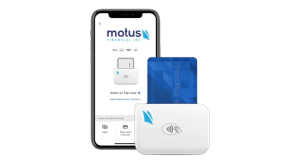
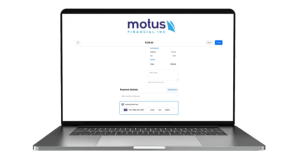
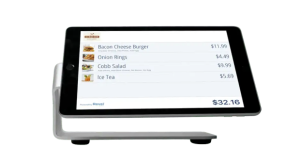 Our POS systems are designed to streamline in-store transactions. With features like inventory management, sales reporting, and customer tracking, our POS solutions help you run your business more efficiently. Our terminals are compatible with various payment methods, including chip cards, contactless payments, and mobile wallets.